FEATURE HIGHLIGHTS
Core Capabilities

Product Description
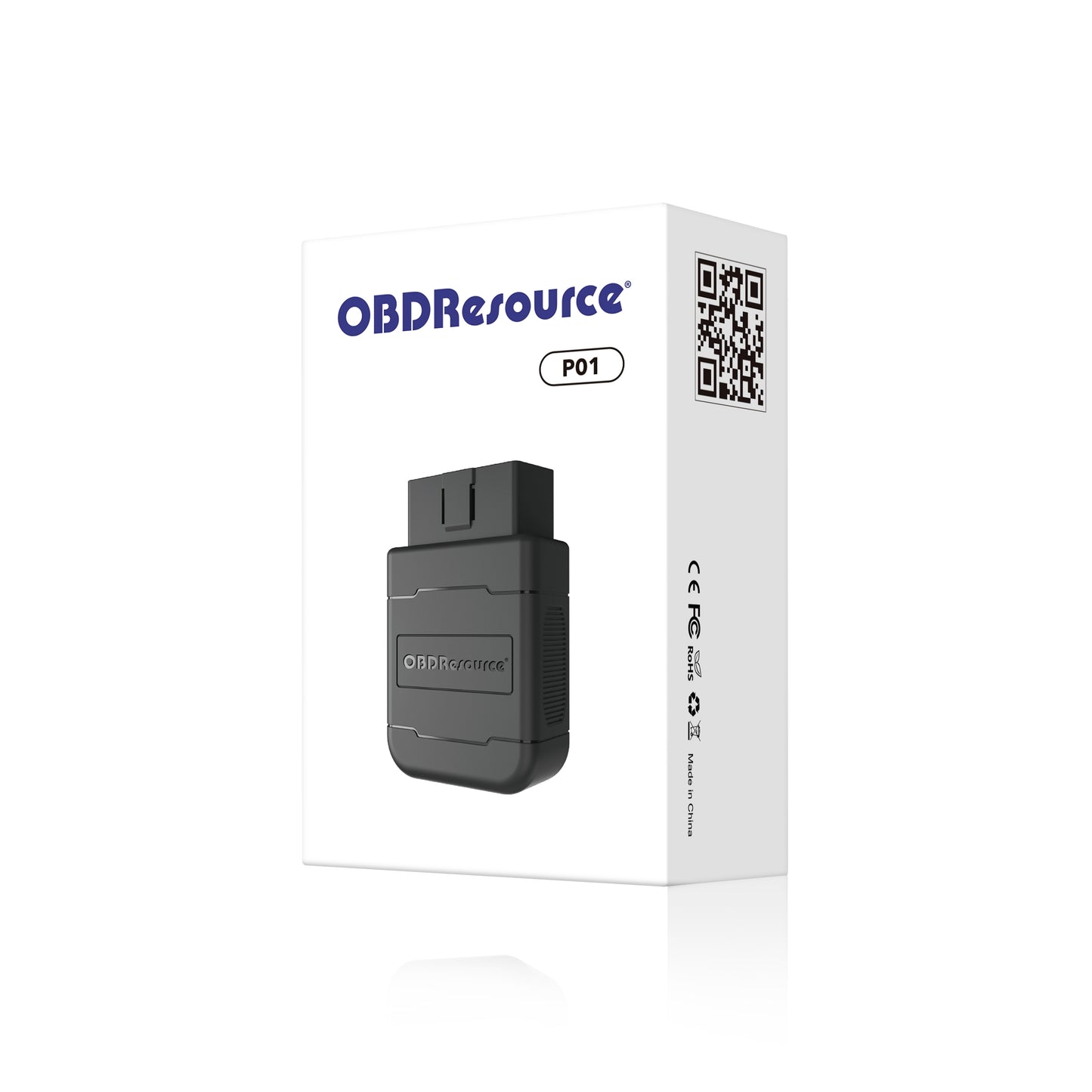
The OBDResource P01 Portable Bluetooth VCI Dongle is a lightweight wireless OBD2 diagnostic adapter built for drivers who want a simple, affordable, and convenient way to check vehicle engine data from a smartphone or tablet.
Powered by the original PIC18F25K80 main control chip, the P01 provides reliable OBD2 communication, stable Bluetooth connection, and broad protocol compatibility for everyday vehicle diagnostics. Plug it into your vehicle’s 16-pin OBD2 port, connect with a compatible app, and turn your phone into a portable car diagnostic tool.
Whether you need to read engine fault codes, clear the check engine light after maintenance, check emissions readiness, or view live sensor data, the P01 makes basic vehicle diagnostics easier and more accessible.
Key Features
Stable Original PIC18F25K80 Chip
The P01 is equipped with the original PIC18F25K80 main control chip, designed for stable OBD2 data communication and reliable protocol recognition. This helps improve connection performance compared with low-quality generic adapters.
Portable Bluetooth OBD2 Connection
With Bluetooth wireless communication, the P01 allows you to connect your vehicle to a smartphone or tablet without using long diagnostic cables. It is compact, easy to carry, and convenient for quick checks at home, in the garage, or on the road.
Compatible with Multiple OBD2 Apps
The P01 works with the FasLink X App and many other compatible Bluetooth OBD2 apps. Depending on the app you choose, you can read codes, clear codes, view live data, check monitor status, and track vehicle performance.
Supports iOS & Android Devices
Designed for flexible use with both iOS and Android smartphones/tablets. Connect through a supported OBD2 app and access vehicle information directly from your mobile device.
Read & Clear Engine Fault Codes
Quickly read diagnostic trouble codes and clear engine fault codes after inspection or repair. A practical tool for understanding check engine light problems before visiting a repair shop.
View Real-Time Vehicle Data
Monitor real-time vehicle data such as oxygen sensor readings, engine temperature, exhaust temperature, throttle position, vehicle speed, fuel trim, boost, and more depending on vehicle and app support.
I/M Readiness for Smog Check
Check I/M readiness status before emissions inspection or smog check. This helps you confirm whether your vehicle’s onboard monitors are ready.
Supports Major OBD2 Protocols
The P01 supports a wide range of standard OBD2 protocols, including:
- SAE J1850 PWM
- SAE J1850 VPW
- ISO9141
- KWP2000
- CAN
Designed for Everyday Vehicle Diagnostics
The OBDResource P01 is ideal for users who need a compact and easy-to-use Bluetooth OBD2 adapter for basic engine diagnostics. It is not a large professional scan tool, but it gives everyday drivers a fast way to access important OBD2 information from their phone.
- Check why the check engine light is on
- Clear fault codes after maintenance
- View real-time engine sensor data
- Check emissions readiness before smog test
- Monitor basic vehicle performance
- Use with multiple compatible OBD2 apps
Typical Applications
- Daily car owner self-check
- DIY engine diagnostics
- Check engine light troubleshooting
- Used car inspection before purchase
- Emissions readiness checking
- Basic vehicle performance monitoring
- Quick OBD2 fault code reading and clearing
How to Use
- Download the FasLink X App or another compatible Bluetooth OBD2 diagnostic app.
- Plug the OBDResource P01 into the vehicle’s 16-pin OBD2 diagnostic port.
- Turn the ignition to the ON position or start the engine.
- Open the app and connect to the Bluetooth OBD2 adapter.
- Start reading codes, clearing codes, checking I/M readiness, or viewing live data.
Vehicle Compatibility
The OBDResource P01 is compatible with most 12V OBD2-compliant cars, SUVs, and light trucks from 1996 and newer. Supported functions may vary depending on the vehicle model, OBD2 protocol, and mobile app used.
Specifications
- Product Name: OBDResource P01 Portable Bluetooth VCI Dongle
- Model Number: P01
- Product Type: Bluetooth OBD2 Diagnostic Adapter
- Main Control Chip: Original PIC18F25K80
- Connection Type: Bluetooth
- Supported Devices: iOS and Android smartphones/tablets
- Supported Apps: FasLink X App and other compatible OBD2 apps
- Main Functions: Read codes, clear codes, I/M readiness, live data
- Supported Protocols: J1850 PWM, J1850 VPW, ISO9141, KWP2000, CAN
- Connector: Standard 16-pin OBD2 connector
- Vehicle Voltage: 12V vehicles
- Vehicle Compatibility: Most 1996 and newer OBD2-compliant vehicles
OBDResource P01 Portable Bluetooth VCI Dongle
- 1 × OBDResource P01 Portable Bluetooth VCI Dongle
- 1 × User Instruction Guide
Important Note
The OBDResource P01 is designed for OBD2 engine system diagnostics. It does not repair vehicle faults automatically. Clearing a trouble code should be done after the related issue has been inspected or repaired. If the check engine light returns, further diagnosis may be required.
PRODUCT OWNERSHIP
Resources & Support
Find product documentation, available updates and technical help.