FEATURE HIGHLIGHTS
Core Capabilities

OBDResource ELM327 USB OBD2 Adapter for FORScan MS/HS-CAN Auto Switch
Stable wired USB OBD2 diagnostic adapter for Ford, Lincoln, Mazda, and Mercury vehicles. Designed for FORScan users who need automatic MS-CAN / HS-CAN switching, code reading, code clearing, live data, and supported module access on Windows computers.
Key Features
- MS-CAN / HS-CAN Automatic Switching – No manual toggle switch required. The adapter automatically switches between medium-speed and high-speed CAN networks when supported by the vehicle and software.
- FORScan Compatible – Designed for use with FORScan and other compatible ELM327-based diagnostic software.
- Stable USB Wired Connection – Direct USB connection helps reduce dropped packets and connection interruptions compared with many low-cost wireless adapters.
- Read & Clear Diagnostic Trouble Codes – Read fault codes, clear codes, and reset the check engine light after inspection or repair.
- Access Supported Vehicle Modules – Access supported modules such as engine, transmission, ABS, airbag, climate control, and more depending on vehicle and software support.
- Live Data Monitoring – View real-time sensor data through compatible diagnostic software.
- Windows Computer Required – Recommended for Windows laptops or PCs with compatible drivers and diagnostic software.
Product Overview
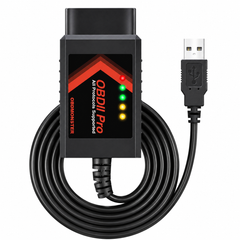
The OBDResource ELM327 USB OBD2 Adapter is a wired diagnostic interface designed for Ford-focused OBD2 diagnostics. It connects your vehicle’s 16-pin OBD2 port to a Windows laptop or PC through USB, giving users a stable connection for FORScan and other compatible diagnostic programs.
Unlike older manual-switch adapters, this version supports automatic MS-CAN / HS-CAN switching, helping users access more supported modules without manually changing a switch. It is ideal for DIY users, Ford owners, used car dealers, technicians, and repair shops who need a practical diagnostic cable for daily vehicle troubleshooting.
With compatible software, this adapter can help read diagnostic trouble codes, clear fault codes, reset check engine light, monitor live vehicle data, and perform supported service or configuration functions depending on the vehicle model, year, and software capability.
Why Choose OBDResource ELM327 USB Adapter?
Automatically switches between supported CAN networks without a manual toggle switch.
Wired USB connection helps provide reliable communication for diagnostic work.
A practical adapter for FORScan users working with compatible Ford-related vehicles.
Helps access supported electronic modules depending on the vehicle and software.
Applications
- Ford vehicle diagnostics with FORScan
- Read and clear diagnostic trouble codes
- Reset check engine light after inspection or repair
- View real-time live data
- Access supported modules such as engine, transmission, ABS, airbag, and climate control
- Perform software-supported service and configuration functions
- Used car inspection and DIY vehicle troubleshooting
Compatible Vehicle Brands
- Ford
- Lincoln
- Mazda
- Mercury
Commonly used with many 12V OBD2-compatible Ford and related vehicles, including F-150, F-250, F-350, F-450, Ranger, Transit, Fusion, Mustang, Explorer, Edge, Escape, Mondeo, Kuga, C-Max, S-Max, and more.
Vehicle compatibility and available functions may vary by model year, module support, software version, and vehicle configuration. Some newer Mazda models, including certain 2019+ Mazda 3 and CX-30 vehicles, may not be supported.
How to Use
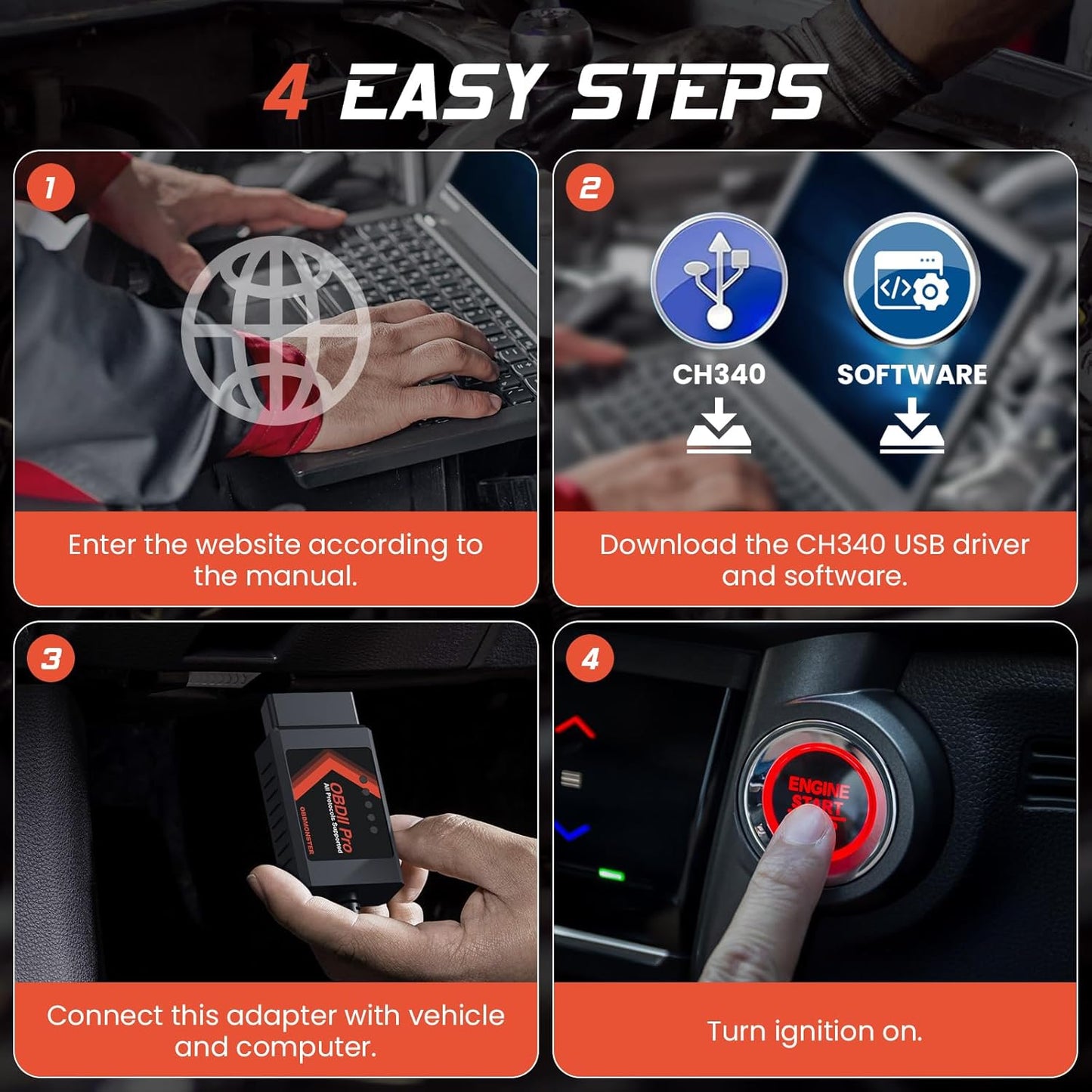
- Download and install compatible diagnostic software such as FORScan on a Windows laptop or PC.
- Install the required USB driver if needed.
- Plug the OBDResource ELM327 USB adapter into the vehicle’s 16-pin OBD2 diagnostic port.
- Connect the USB cable to your Windows computer.
- Turn the ignition to the ON position or start the vehicle.
- Open the diagnostic software and connect to the vehicle.
- Start reading codes, clearing codes, viewing live data, or accessing supported modules.
Specifications
- Brand: OBDResource
- Product Type: ELM327 USB OBD2 Diagnostic Adapter
- Connection: USB wired connection
- CAN Support: MS-CAN / HS-CAN automatic switching
- Supported Software: FORScan and other compatible ELM327-based OBD2 software
- Supported Computer System: Windows laptop or PC
- Vehicle Voltage: 12V vehicles
- Connector: Standard 16-pin OBD2 connector
- Main Functions: Read codes, clear codes, check engine light reset, live data, supported module diagnostics
- Primary Compatibility: Ford, Lincoln, Mazda, Mercury vehicles
Looking for a reliable FORScan USB adapter with MS-CAN / HS-CAN auto switch? The OBDResource ELM327 USB OBD2 Adapter is designed for stable wired diagnostics, code reading, code clearing, live data monitoring, and supported Ford module access through compatible Windows software. It is ideal for users searching for a Ford OBD2 scanner, FORScan adapter, ELM327 USB adapter, auto switch MS-CAN HS-CAN adapter, or Windows OBD2 diagnostic cable.
FAQ
Q: Does this adapter work with FORScan?
A: Yes, it is designed for use with FORScan and other compatible ELM327-based diagnostic software.
Q: Does it automatically switch between MS-CAN and HS-CAN?
A: Yes, this adapter supports automatic MS-CAN / HS-CAN switching on compatible vehicles and software.
Q: What vehicles is it commonly used with?
A: It is commonly used with many Ford, Lincoln, Mazda, and Mercury vehicles, including Ford F-150, F-250, F-350, F-450, Ranger, Transit, Fusion, Mustang, Explorer, Edge, Escape, and more.
Q: Does it work with Mac?
A: This adapter is recommended for Windows laptops or PCs. FORScan and related USB driver support are commonly Windows-based.
Q: Can it perform programming or configuration functions?
A: Some service, programming, or configuration functions may be available through compatible software on supported vehicles. Actual functions depend on vehicle model, year, module support, and software capability.
Q: Can it fix vehicle problems automatically?
A: No. This is a diagnostic adapter. It can help read and clear codes through compatible software, but it does not repair the underlying mechanical or electrical problem.
Q: Where can i download the software or USB driver?
A: You can download from https://sw.forscan.net for everything, including software, CH340 USB driver and Videos.
Stable FORScan Diagnostics with Auto MS/HS-CAN Switching
Choose the OBDResource ELM327 USB OBD2 Adapter for reliable wired diagnostics, automatic MS-CAN / HS-CAN switching, code reading, code clearing, live data, and supported Ford-focused module access.
PRODUCT OWNERSHIP
Resources & Support
Find product documentation, available updates and technical help.


The adaptor is nicely made. The driver download and install went easily after using the FTDI driver uninstaller to ensure there were no conflicts in WIN XP Pro SP3. The FORSCAN software download site (sw.forscan.net) doesn't have the latest version provided on the official site (FORScan.org). The function I need FORScan to perform is not supported in these earlier versions.


The tool is fa tastic. I can monitor and check my truck obd2 system. Made some tweeks. Change high beam with fog lamps(bambi mode) change radio display. Easy to use.

Easy to use, great for updating modules just like the dealership would. Dislike the fact it does not allow access to the dynamic vehicle module (DVM), on 2015 and up mustangs.


It would be awesome to know(prior to purchase) that this does not work on a Mac computer
It worked for our 2019 Mustang GT PP1 without issue. Does not work with 2020 Mustang GT PP1.
Plugged it in and the FORSCAN software said “no adapter detected”. Then I discovered that drivers must be installed for the FORScan software to recognize the adapter. After that it worked fine
Works as described.
At first I thought I got this product here, but it was from ebay. But this product is the exact same. I've used this product for my Focus and it does some functions as intended. However I get the feeling this is more of a regular OBD that is able to run said Forscan functions.Checking out other reviews helped me get to that conclusion.I also checked this product out on another vehicle that is not a Ford product. However, without the Forscan functions as it obviously will not work. You could use this on other vehicles, BUT you need a regular OBD program which you can easily find online.Nothing really bad about the product, it works as intended. But if you use it for Forscan, you may get a message saying "This adapter is NOT recommended" Which when I first used it, raised my eye brow.
I don't own a Ford, but most cheap elm327 adapters from China have an additional resistor which screws with CAN transmission, this one does not similar to the obdlink ex. I was able to do a proxy alignment for my fiat 500 with no issue.
Good
The program that comes with it as a download is a little old school and takes a little to browse through it to find what you're looking for, but it didn't take long to learn and does what it is designed to do.
Easy to use, wish more details were included, didn’t think it was going to work at first but fortunately found a review on another site that told you which setting to change for the MS/HS automatic switch to work properly, once i did that it worked flawlessly.
The "Forscan" and ELM 327 adaptor software was easy enough to download and run on a Windows 8.1 equipped laptop.This device did provide quite a bit more diagnostic information than the average OBD II test box. However, before diagnostic tests were run, I saw a message that said that this particular adaptor or driver software may not be compatible for 2009 Mercury Mariner Hybrids and that some tests may not run correctly. I would like a bit more information on this subject if that is possible.
OBD2 connector as described. Have tried on a 2005 BK Mazda 3, 2010 BL Mazda 3, and 2005 BA2 Ford Falcon XR6. Worked well on all. Happy with purchase.
Hard to get program working . Down loaded from 4 places before it would work
Picked this up to maintain a few diesels for customers. Incredibly easy to use. Download the program (free) from the Forscan site and don't forget to download the driver or it won't recognize the plug. Works perfectly. 5 minutes after receiving it I was executing a static regen on a 2012 F350. Love the easy features and simplistic program. Excellent product.
this thing works flawlessly with forscan, absolutely love this adapter
No olviden seleccionar el tipo de conexion como lo menciona el instructivo
Amazing level of diagnostics and control for my 2003 f250 with 6.0 diesel. Worth every penny. Wish I had purchased it years ago. I also purchased a cheap windows 10 tablet for running the software. My total investment is under $200 and I have dealer level diagnostic tools.
product was just what I needed
Worked very well
Works like a champ. I used it to clear my error codes. Then I ran a few of diagnostic tests. This thing is awesome.I did pay the extra $50 for the lifetime membership, for updates and extra features.
The Forscan was easy to set up on my laptop and worked as needed.
Works perfect allows me to use with forscan oh, I was made a program reprogram a wide range
Straight forward instructions included
The quality of this product is very good, and it is very convenient to use, which has helped me a lot in my life
Had to replace abs module in my truck. This helped with code reading to see if I missed anything else.
Very fast connection
As ordered
Works perfect! Just as advertised.
As described and works great.